















Coming soon

Need anything on the way home?

Ask your partner in two taps. Watch the list get ticked off, follow them on the map once they head home, and know the moment they’re at the door.

Coming soonApp StoreComing soonGoogle Play

One evening, start to finish.

Off work at 6:00 PM, at the door by 6:42. The screens are from the app itself.

1 / 7 · 6:00 PM

Leaving work

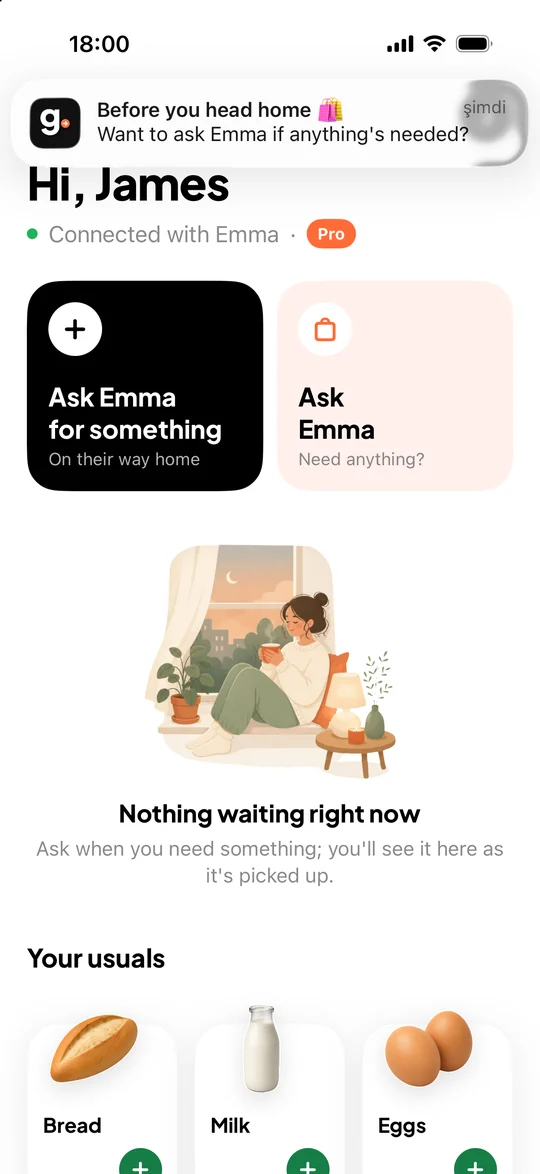
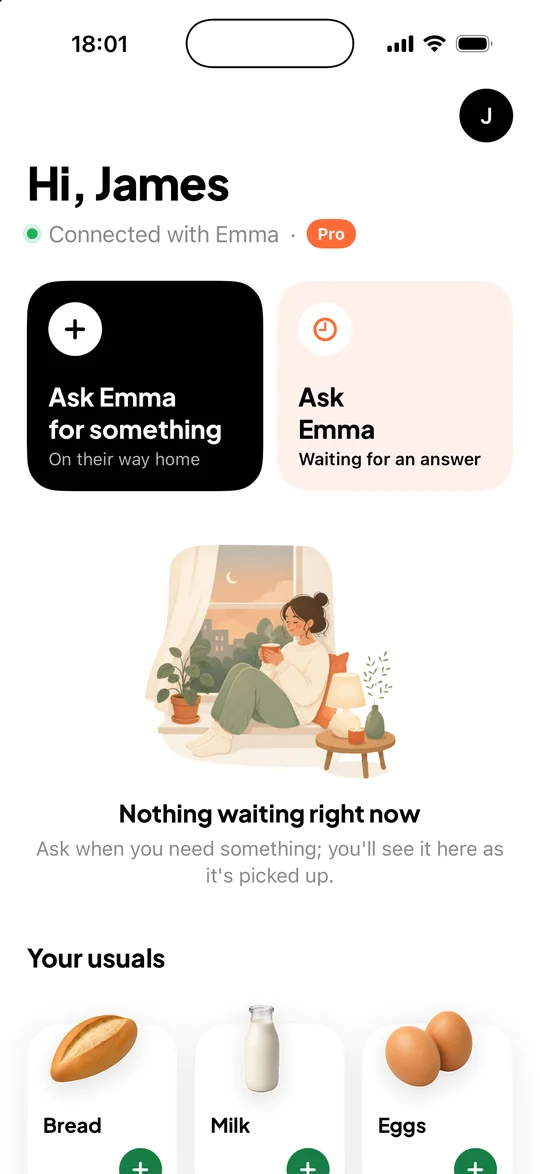
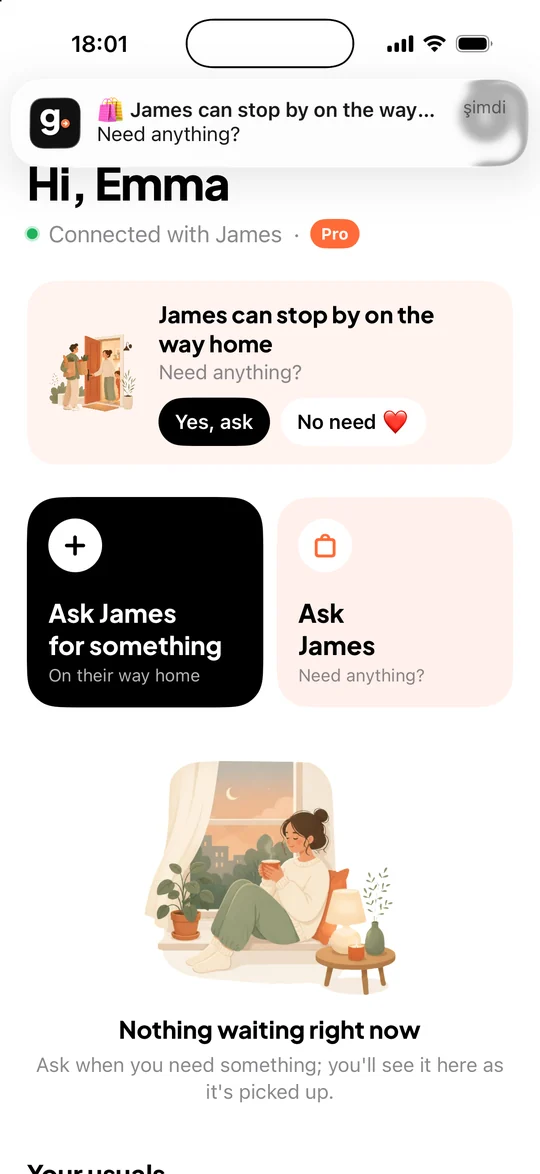
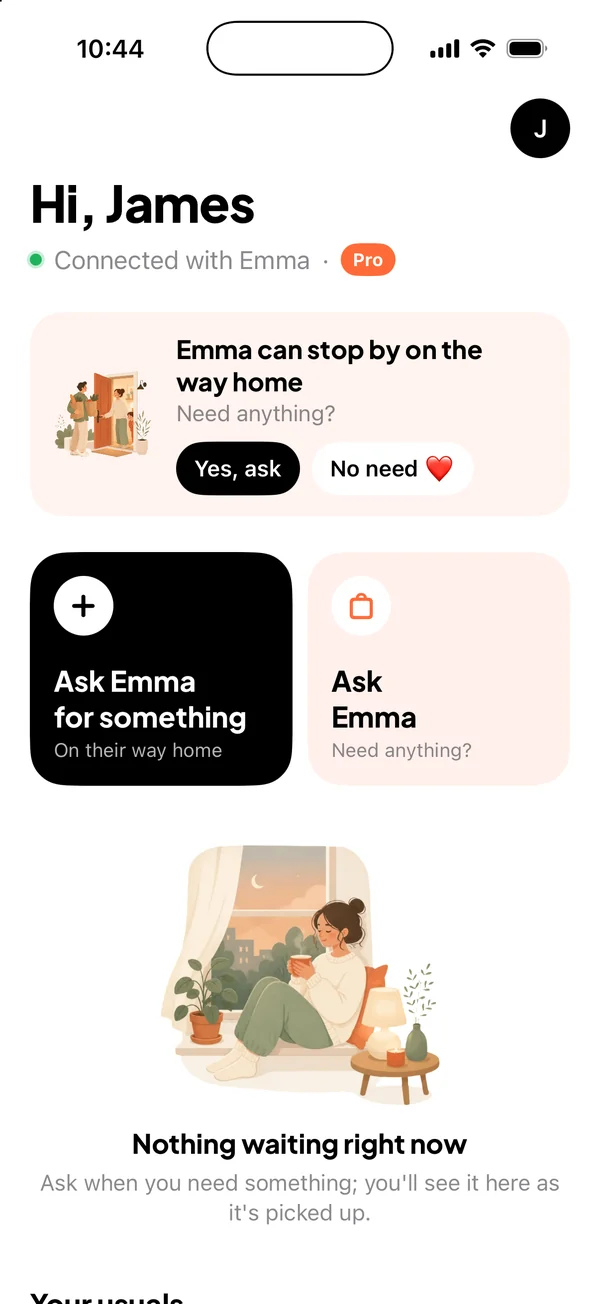
James is about to head out. A reminder pops up: want to ask Emma if she needs anything? One tap, and he’s asked.
No message pile-up. No forgotten bread.

“Grab some yogurt too”, “which cheese?”, “where are you?” — one shared list replaces the whole thread.

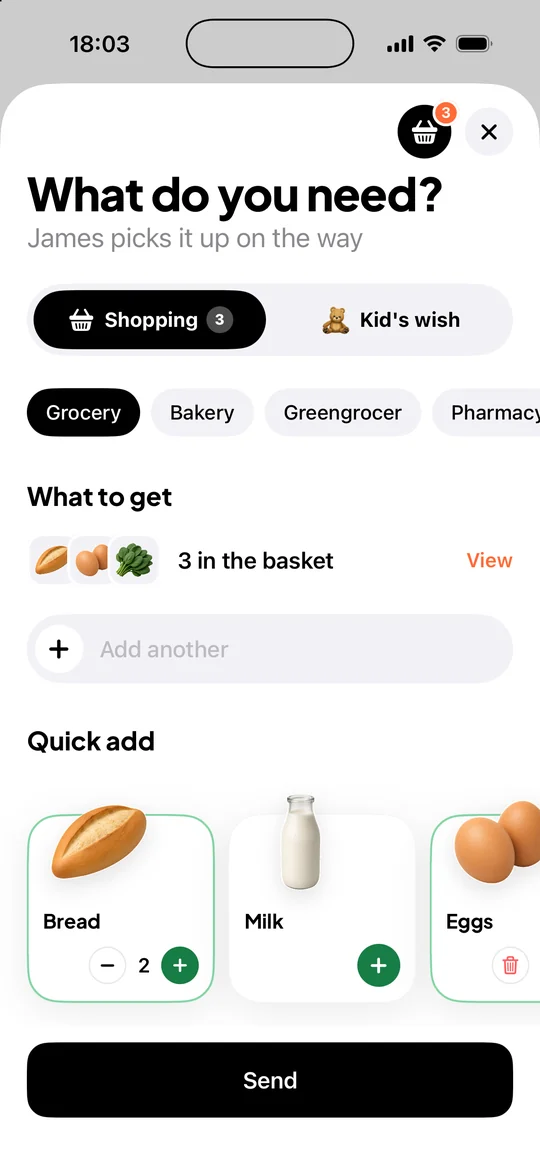
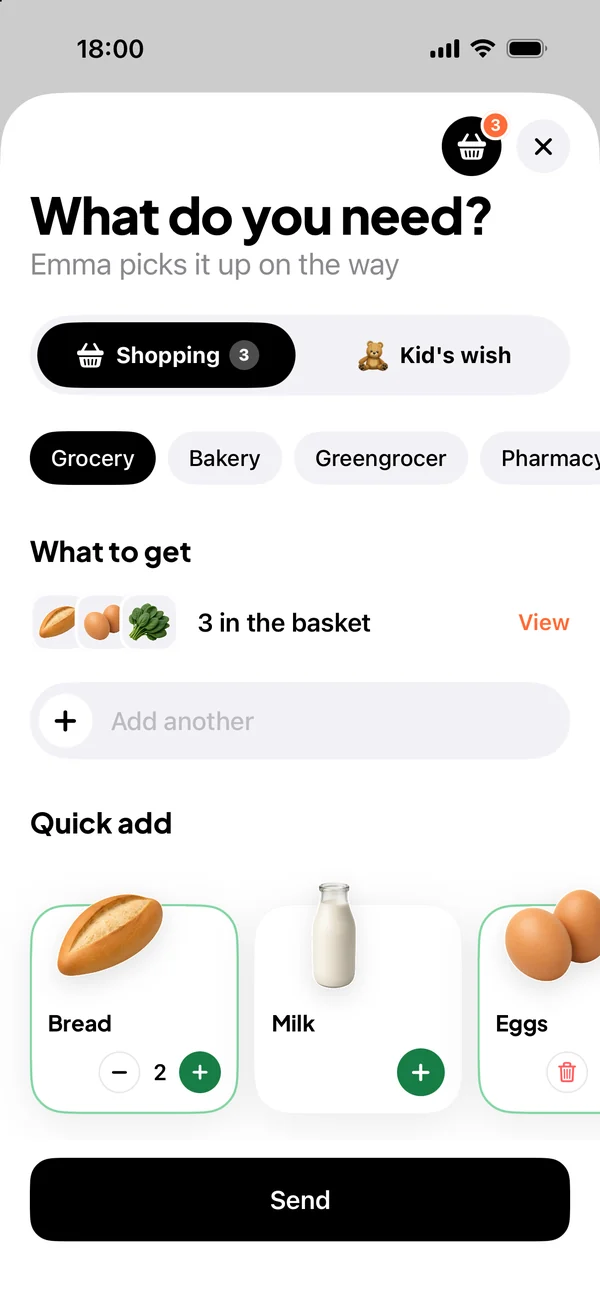
Request screen: bread and milk added to the list with quantities

Ask

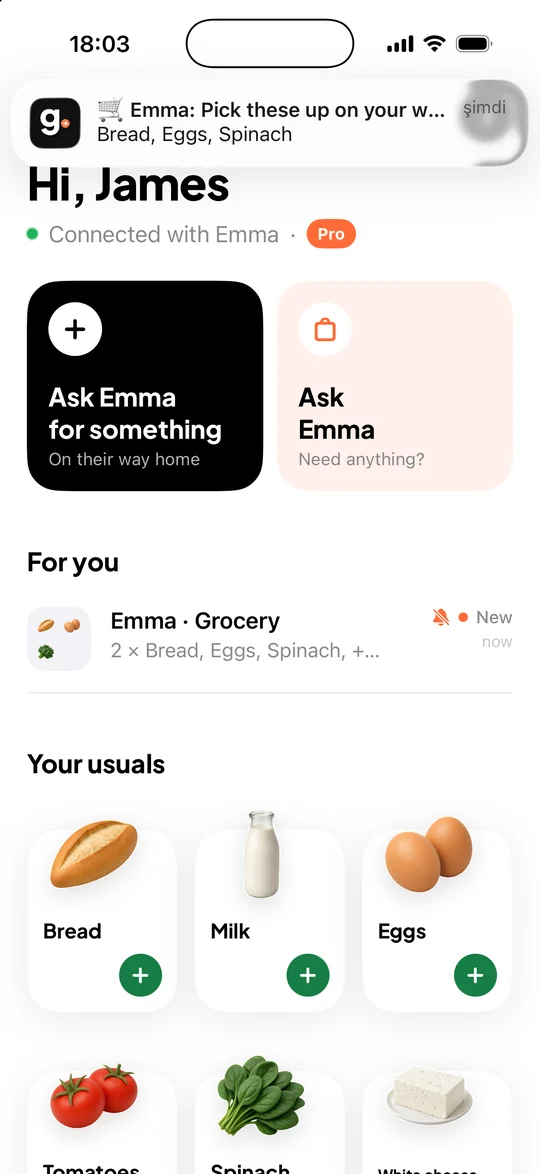
Pick from picture cards, set how many, send. Your partner gets a notification.

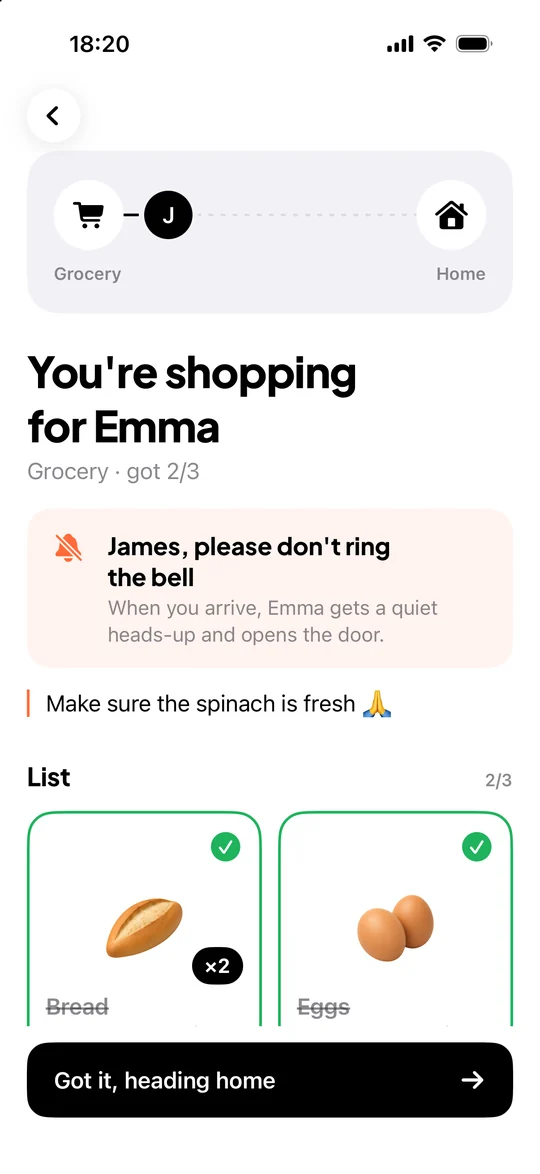
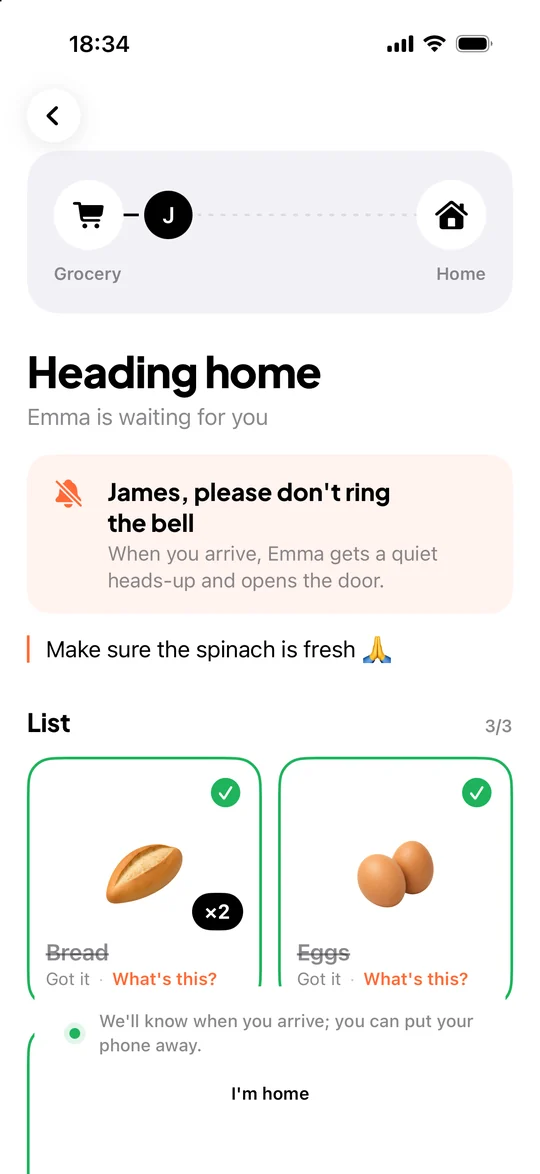
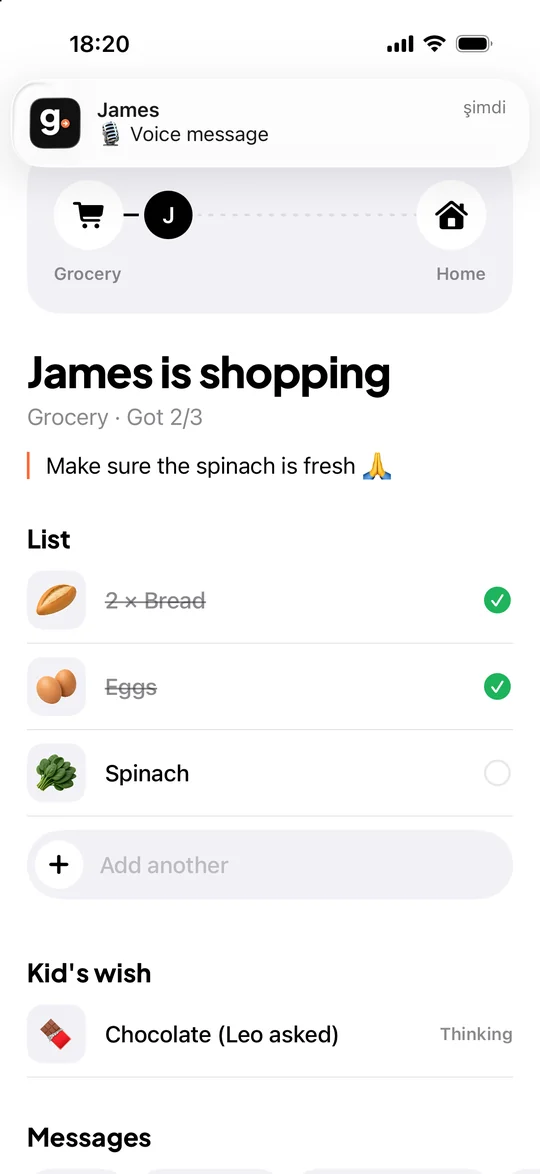
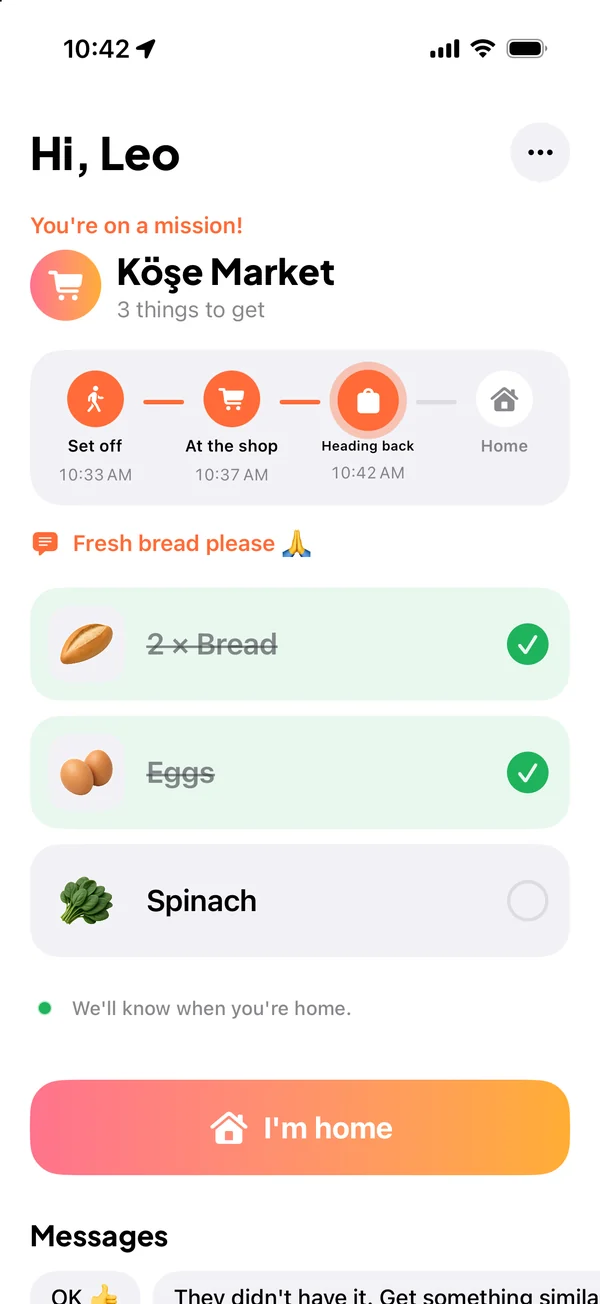
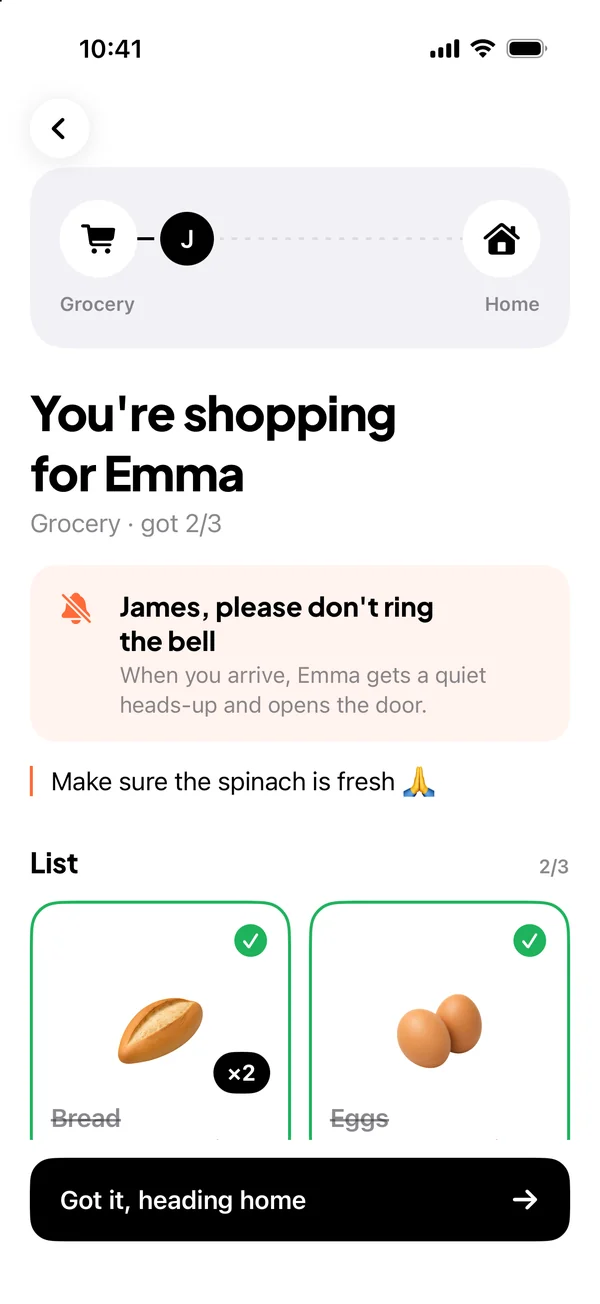
The shopper’s list: items with pictures and a don’t-ring-the-bell note

Watch it fill up

Each item gets ticked off as it goes in the basket. If the store is out, they mark it “not there” and you see it right away.

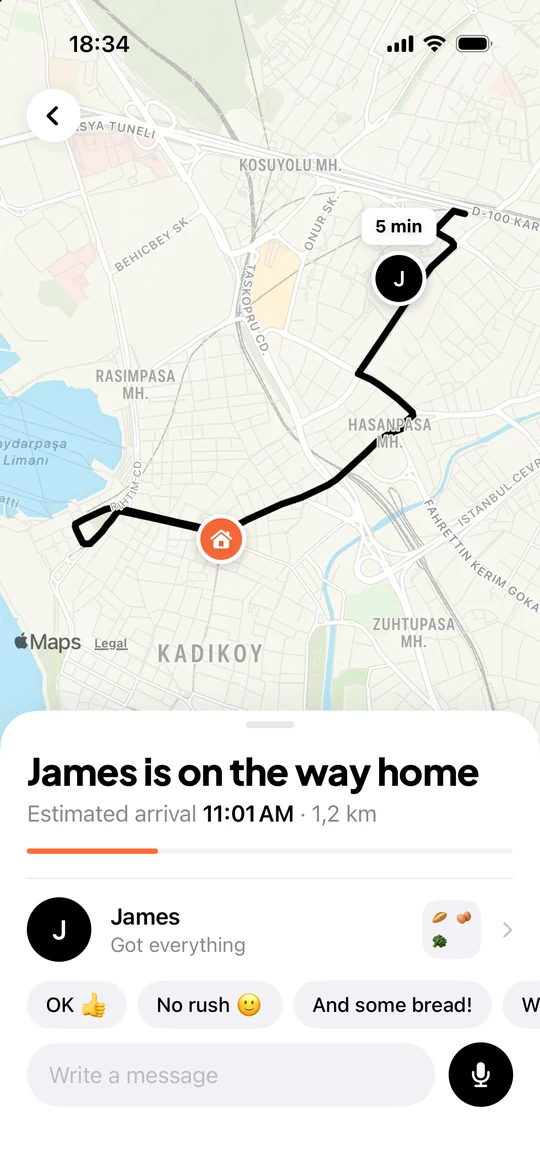
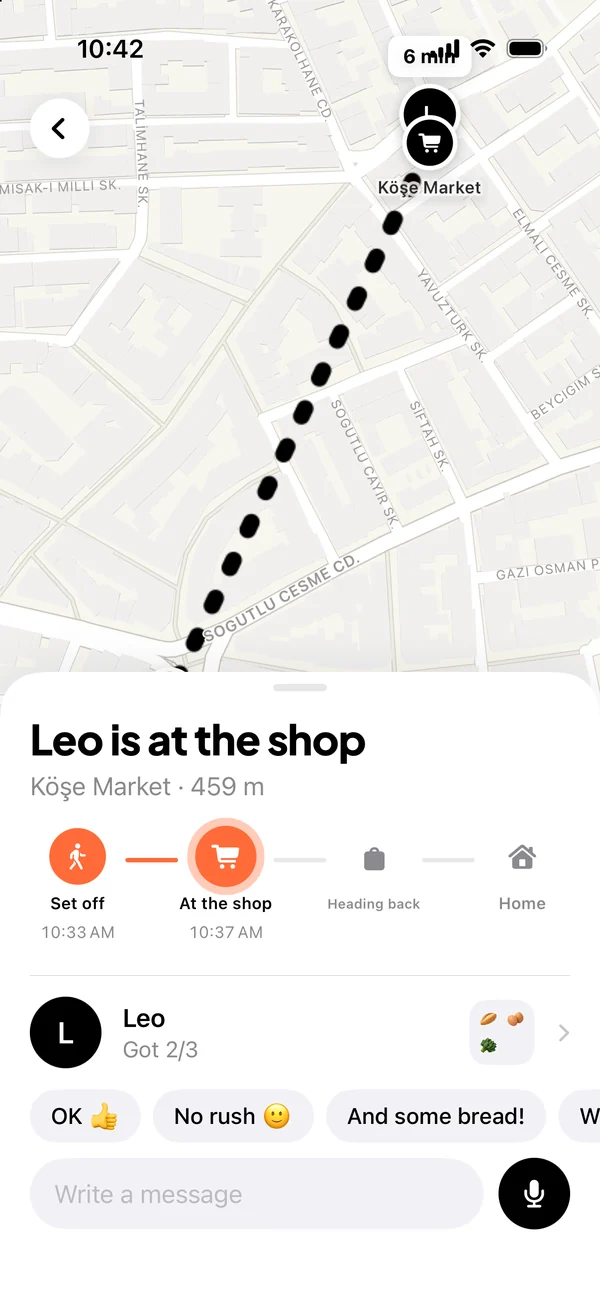
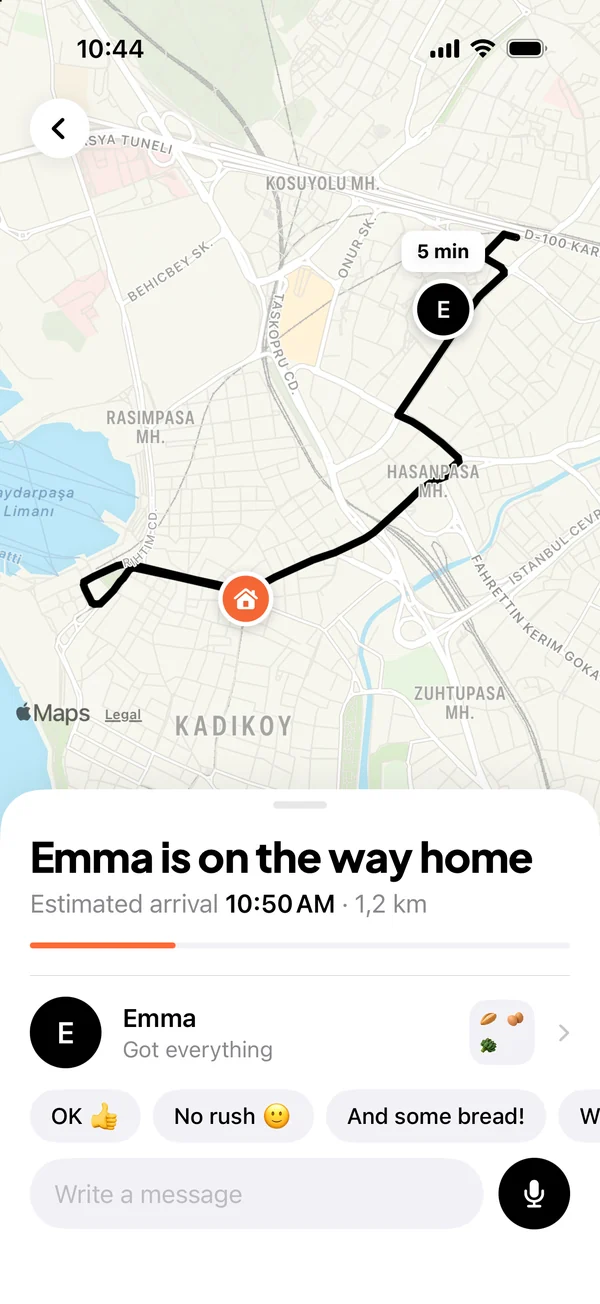
Map: the route home, arrival time and quick replies

Follow the trip

Once they tap “Got it, heading home”, you get live location and an arrival time, then a doorbell chime when they reach the door.

Made for real life at home.

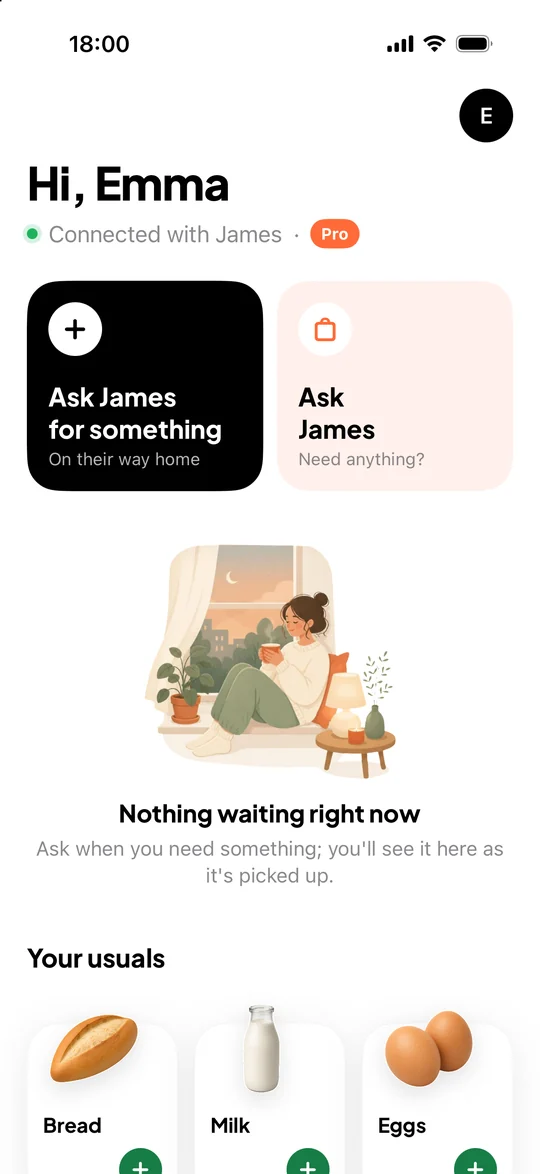
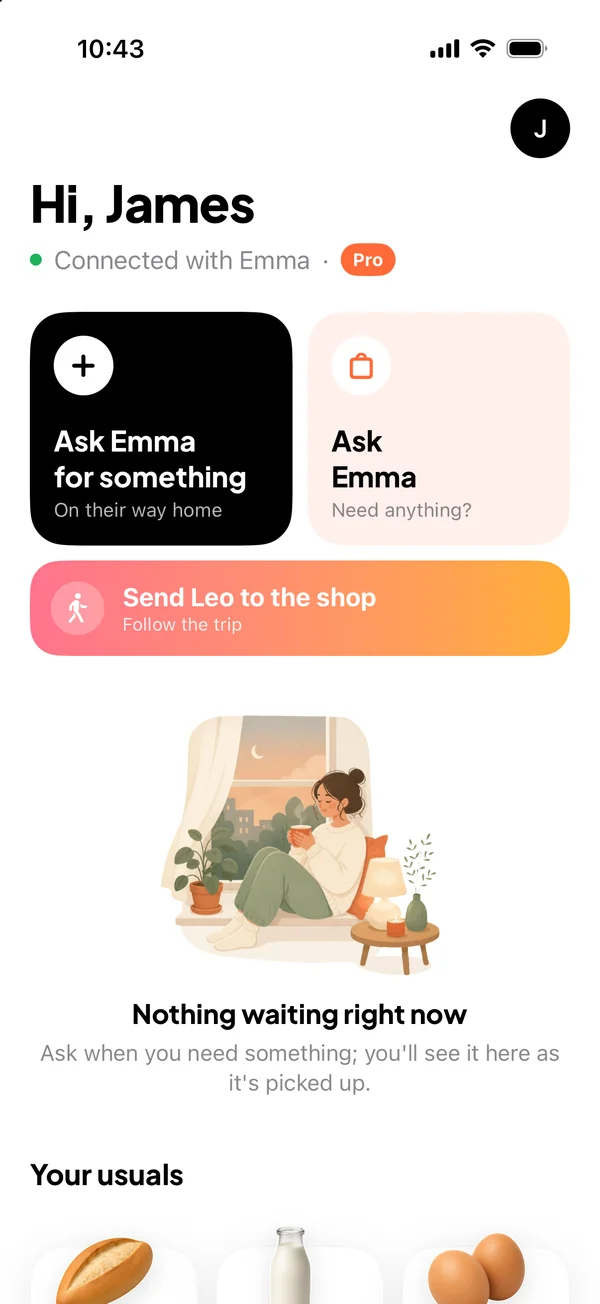
“Need anything?”

Ask with one tap before you leave. If you like, we’ll remind you every day when work ends.

The question on the home screen: Emma can stop by on the way home. Need anything?

Don’t ring the bell

Baby asleep? Just say so. When your partner reaches the door, we’ll let you know quietly.

Push to talk

No typing needed: hold, say “make sure the spinach is fresh”, let go.

Kid’s wish

Little wishes get their own colourful corner, separate from the list. Turn it off in settings if you prefer.

Missed items

If the store didn’t have it, you get a reminder the next day; ask again with one tap.

Hands-free arrival

Hands full of bags? No buttons to press: location knows when they’re home.

No more “which cheese?”

85 items with pictures, most with a note on exactly which one to get. Feta or cheddar? No mix-ups.

New · Pro

Send your kid to the shop, with peace of mind.

First time going for bread on their own? You send the list, they see it on their own phone. Know the moment they leave home, reach the shop, head back and walk in the door.

  1. Set offA notification when they leave, and you follow along on the map.
  2. At the shopA heads-up when they reach the shop you picked; items get ticked off as they go.
  3. Heading backAnother heads-up when they leave the shop.
  4. HomeA doorbell chime when they're home, and their location is deleted right then.

No email or password for your kid: they join with a one-day code you create, and you can remove them any time. Their location is shared only during the errand, and only with you.

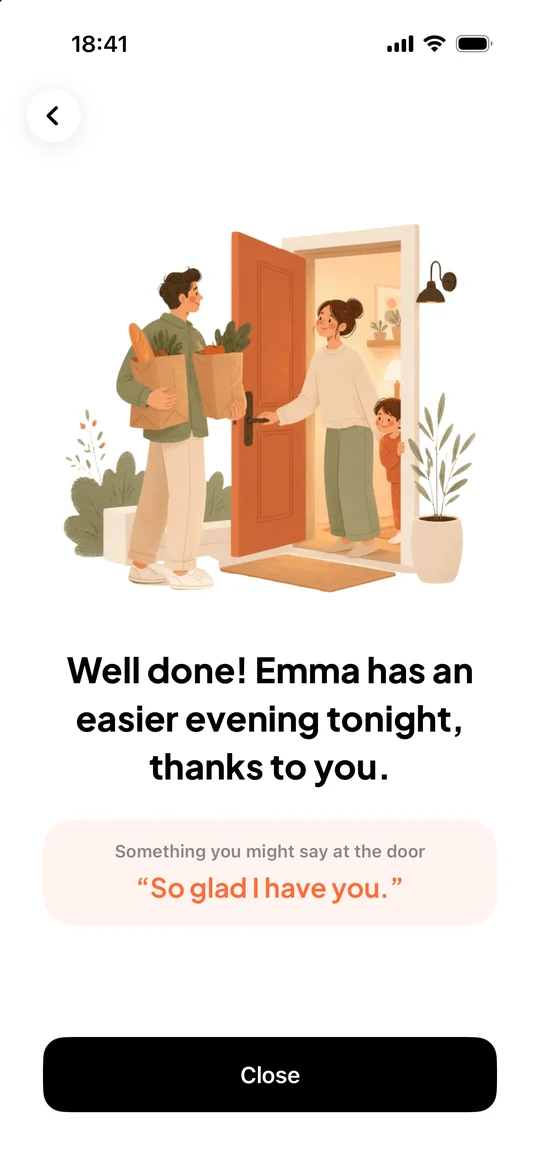
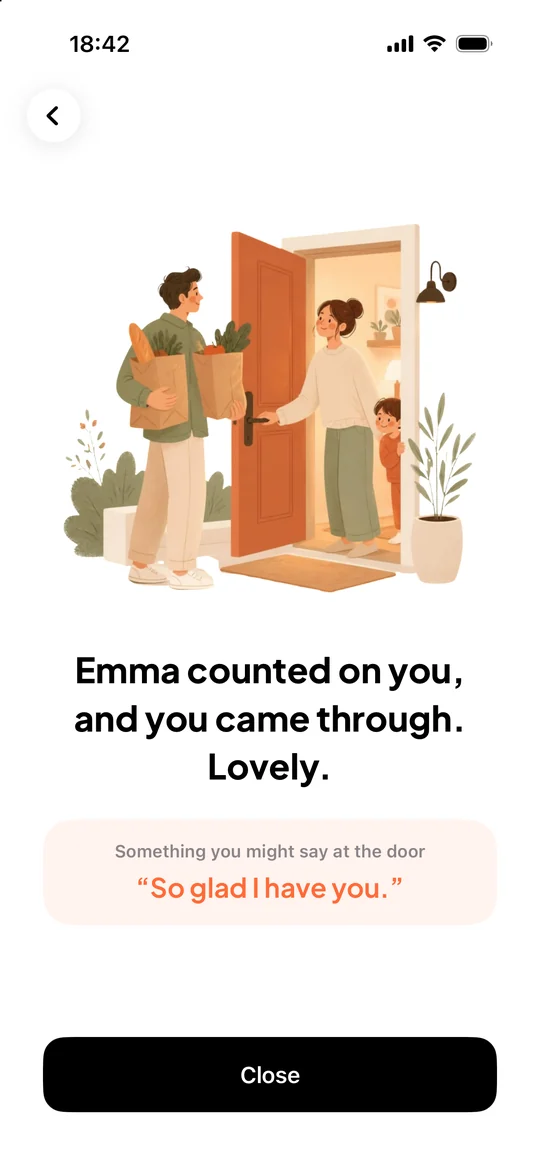
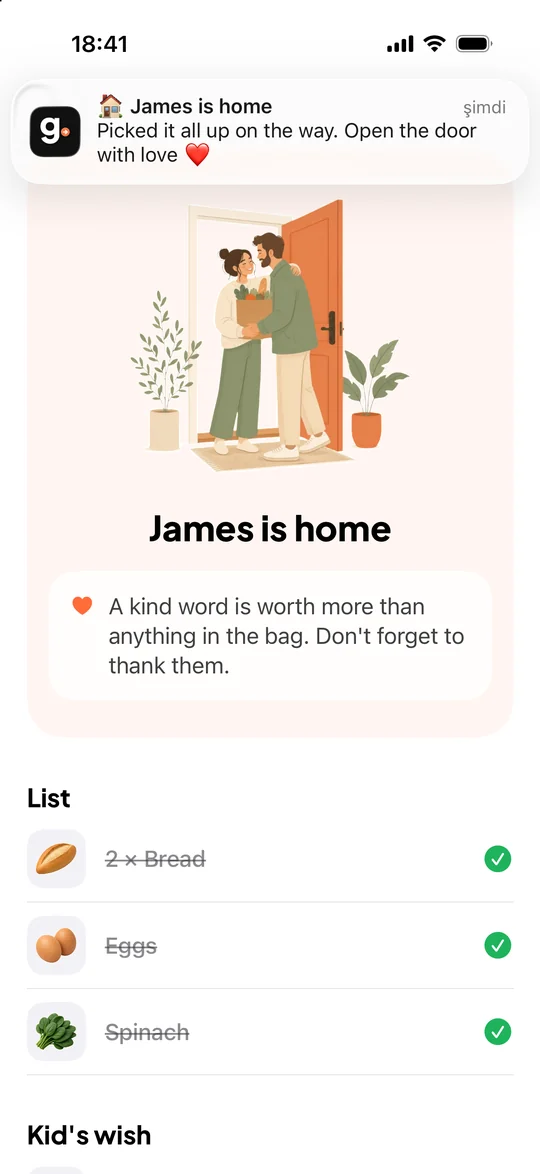
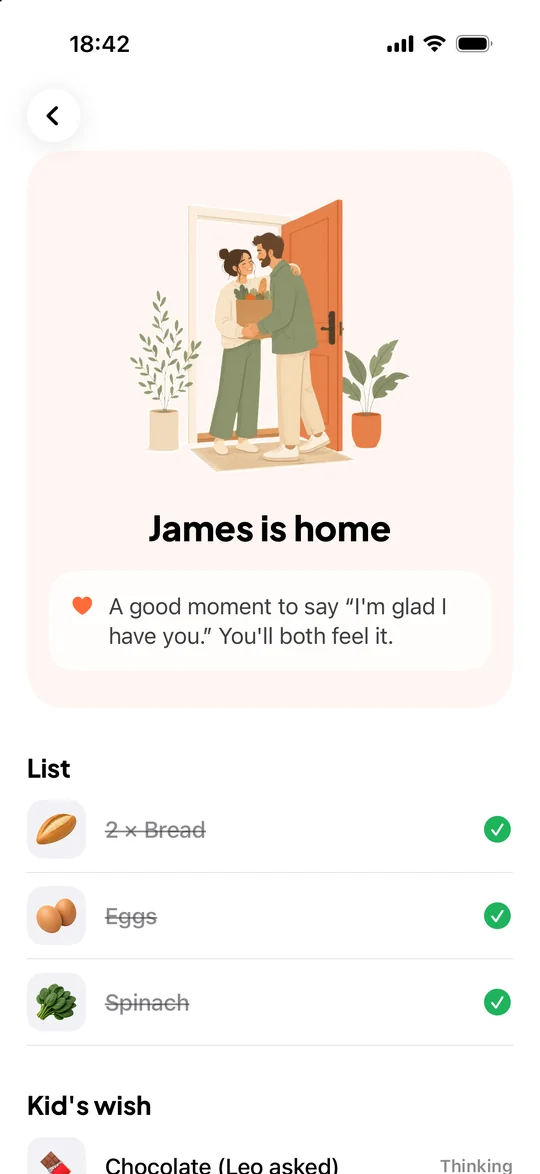
A dad coming home with a shopping bag, met at the door by mom and their child
Sometimes happiness is simply coming home with your hands full.

When the one who picked things up gets home, they first see a few words about the kindness they just did, then something lovely they might say at the door. The one at home gets a gentle nudge to say thank you. Because a thank-you belongs at the door, not on a button.

“I got these for you.”“So glad I have you.”“I’ve got the rest. You relax.”
3hourslater, everything is permanently deleted.
  • 3 hours after a request is done, the request, its messages and voice messages are permanently deleted from our servers; open requests after 12 hours at most.
  • Location is deleted the moment they get home.
  • We can’t bring deleted data back, and we don’t keep backups of it.
  • Your location is shared only after you tap “Got it, heading home”, only until you get home, and only with your household.
  • No email, phone number or password needed. No ads, no tracking.
  • The details are in our Privacy Policy.

Small requests are always free.

One of you goes Pro, and everyone at home gets it. Try Pro free for 7 days through the App Store, and cancel any time.

Free

Free

Forever, no card needed

  • Up to 3 items per request
  • 1 kid’s wish per request
  • 1 request at a time
  • Live location, push to talk, don’t ring the bell
  • Everything deleted after 3 hours
For the whole home

Pro

Yearly or monthly

Priced in your currency on the App Store and Google Play

  • Up to 40 items per request
  • Send your kid to the shop and follow the trip
  • 10 kid’s wishes per request
  • 5 requests at a time
  • One person subscribes, everyone at home uses it
  • Everything in Free

Pro is an auto-renewing subscription through the App Store and Google Play; you can cancel anytime in your phone’s subscription settings. The current price is shown in the app before you buy. Subscription terms

Good questions

Does my partner need the app too?

Yes. One of you sets up the home and shares the 6-character invite code on screen; the other joins with it. A home can have 2 people on the free plan and 6 with Pro.

Is my location always shared?

No. It’s shared only after you tap “Got it, heading home”, until you get home, and only the people in your home can see it. Sharing stops by itself when you arrive, and location records are deleted at that moment.

How do I follow my kid to the shop?

Go to Settings > Children and tap “Add a child”; your kid installs the app on their own phone and enters the code. Then pick a shop on the home screen and send the list. Once they tap “Let’s go!”, you get a notification when they leave home, reach the shop, leave it and get back. It’s a Pro feature, and you can try Pro free for 7 days.

How do I delete my account?

In the app, tap “Delete my account” at the bottom of Settings. Your name, the requests you sent and your voice messages are deleted for good; if no one else is left in the home, the home goes too.

Is it on Android?

We’re working on the Android version; it’s coming soon to Google Play. We’re launching on iPhone first.

Is this a delivery or grocery app?

No. Gelirken Al doesn’t sell or deliver anything; it’s the easiest way to ask someone who’s already coming home.

Do I have to tap a button when I get home?

No. Your phone notices you’re nearly home; your partner gets a heads-up and you get a few kind words. No need to touch your phone with your hands full of bags.

How do I cancel Pro?

On iPhone: Settings > your name > Subscriptions. On Android: Google Play Store > profile > Payments & subscriptions > Subscriptions. Cancellation takes effect at the end of the period you’ve paid for; Pro stays on until then.

A couple hugging, a shopping bag in hand

Need anything
on the way home tonight?

Coming soonApp StoreComing soonGoogle Play